
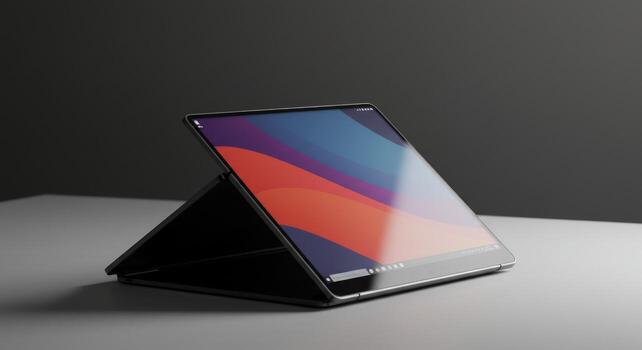
The category has matured significantly since its early experiments around 2019. Creases are less visible. Hinges are more durable. Software has caught up with hardware. And prices — while still premium — have come down enough that foldable devices now sit alongside high-end flagship phones rather than occupying a separate luxury tier entirely. In 2026, the foldable tablet is no longer a curiosity. It is a genuine product category with clear use cases, real trade-offs, and a growing number of well-engineered options from established brands.
The overview table below captures the core facts before we go deeper.
| Category | Consumer electronics — hybrid mobile device |
|---|---|
| Core Technology | Flexible OLED display with Ultra Thin Glass (UTG) layer |
| Hinge Types | Waterdrop hinge, dual-rail hinge, multi-fold hinge |
| Screen Sizes (unfolded) | Typically 7.6 inches to 10.5 inches (tri-folds) |
| Operating Systems | Android, HarmonyOS, Windows 11 (laptop-class foldables) |
| Top Brands (2026) | Samsung, Google, Lenovo, Huawei, Honor, Motorola |
| Price Range | $800 – $3,300+ USD depending on device class |
| Primary Use Cases | Multitasking, media consumption, productivity, travel |
| Key Advantage | One device replacing phone + tablet (or tablet + laptop) |
| Main Drawbacks | Display crease, high price, heavier than single-screen devices |
| Market Status (2026) | Mature/growing — projected 6.21% CAGR through 2030 |
How Foldable Display Technology Actually Works
The magic — and the engineering challenge — of a foldable tablet lives entirely in the display. Traditional smartphone and tablet screens use rigid glass panels. A foldable screen cannot be rigid. It needs to flex hundreds of thousands of times over its lifespan without cracking or losing image quality. Achieving this required rethinking every layer of display construction from scratch.
The Flexible OLED Panel
The foundation is a flexible OLED (Organic Light-Emitting Diode) panel printed on a thin plastic substrate rather than rigid glass. OLED technology works by using organic compounds that emit light when electricity passes through them — no backlight needed, which makes panels significantly thinner and lighter than LCD alternatives. The plastic substrate allows the panel to bend physically without the structural failure that would destroy a traditional display. This is the same display technology used in curved TVs and high-end phones, pushed further to allow actual folding.
Ultra Thin Glass (UTG)
Above the flexible OLED panel sits a layer of Ultra Thin Glass (UTG) — chemically strengthened glass that has been drawn to a thickness of approximately 0.03mm, thin enough to flex like plastic while retaining the tactile feel of real glass under your fingertips. This layer replaced the early plastic screen protectors that scratched easily and felt cheap. UTG made foldable screens feel like premium devices. Some manufacturers, including Huawei in its MateBook Fold, add additional buffer layers — including non-Newtonian fluid and carbon fiber support layers — to improve impact resistance further.
The Hinge
The hinge is where foldable device engineering gets genuinely complex. It must allow smooth folding and unfolding thousands of times; hold the screen open at various angles without the panel sagging; distribute the bending stress evenly across the screen to prevent fatigue at the fold line; and manage the geometry of folding — because a screen panel, unlike a piece of paper, cannot fold flat without one side being compressed and the other stretched. Modern waterdrop hinge designs solve this by creating a teardrop-shaped cavity at the fold point, allowing the screen to curve gently rather than crease sharply. This dramatically reduces the visibility of the fold line during normal use.
The Display Crease
Even with the best hinge engineering, a visible crease forms at the fold point over time. This is a physical inevitability — the screen material is being repeatedly bent at the same location. Manufacturers have made significant progress in reducing crease visibility. Modern waterdrop hinges produce shallower, less reflective creases that most users stop noticing during active use. The crease is most visible at certain angles when the screen is off. During video playback, reading, or multitasking, the majority of users report forgetting it is there entirely.
Types of Foldable Tablets in 2026
The foldable category is no longer a single form factor. Three distinct types have emerged, each solving a different problem and appealing to a different kind of user.
Book-Style Foldables (Fold Phones)
These are the most common foldable devices: phone-sized when closed, tablet-sized when open. The Samsung Galaxy Z Fold 7 and Google Pixel 10 Pro Fold are the leading examples. Closed, they function as standard large smartphones. Opened, they reveal inner displays of 7.6 to 8 inches — enough screen for split-screen multitasking, full document editing, and immersive media viewing. These are the devices most people mean when they say “foldable tablet.” They are genuinely pocketable, which no traditional tablet can claim.
Tri-Fold Devices
The Samsung Galaxy Z TriFold introduced a second hinge, allowing the device to unfold into a 10.5-inch widescreen display — approaching the size of a small tablet. When closed, it folds into a standard phone footprint. This form factor is closer to a true tablet replacement and enables gaming, movie watching, and productivity workflows that the smaller book-style foldables cannot fully match. The TriFold is still an early-adopter device with a premium price, but it represents where the category is heading.
Laptop-Class Foldable Tablets
Devices like the Lenovo ThinkPad X1 Fold and Huawei MateBook Fold take the concept into PC territory — featuring foldable displays of 13 to 18 inches, detachable keyboards, Windows 11 or HarmonyOS, and desktop-class processors. These are not phones. They are foldable laptops that become tablets when the keyboard is removed. The MateBook Fold features a 3.3K dual-layer OLED display, Kirin X90 processor, up to 32GB RAM, and a starting price of approximately $3,300 USD. These devices target professionals who want a single device to handle serious computing work and portable consumption without carrying both a laptop and a tablet.
| Type | Screen (Open) | Best For | Price Range | Example Device |
|---|---|---|---|---|
| Book-style (fold phone) | 7.6–8 inches | Daily carry, productivity, media | $1,000–$1,800 | Samsung Galaxy Z Fold 7 |
| Tri-fold | 10–10.5 inches | Tablet replacement, gaming, media | $1,800–$2,500 | Samsung Galaxy Z TriFold |
| Laptop-class foldable | 13–18 inches | Professional computing, travel | $2,500–$3,500+ | Lenovo ThinkPad X1 Fold, Huawei MateBook Fold |
| Flip (clamshell) | 6.5–7 inches | Compact carry, casual use | $700–$1,200 | Motorola Razr Ultra, Samsung Galaxy Z Flip 7 |
Top Brands and Notable Devices
Samsung
Samsung remains the dominant force in consumer foldables. The Galaxy Z Fold 7 is a refined evolution of a mature platform — wider, lighter, and more software-optimized than its predecessors. The Galaxy Z TriFold pushed the category forward with its dual-hinge design and near-tablet screen size. Samsung’s foldable ecosystem also includes the Galaxy Z Flip series for users who want a compact clamshell rather than a book-style device. Samsung’s advantage is software maturity: One UI for foldables has years of optimization behind it, and app compatibility is the best in the category.
The Pixel 10 Pro Fold brought a landmark improvement to the foldable category: full IP68 dust and water resistance — the first foldable to achieve this rating, removing one of the most persistent long-term durability concerns. Google’s advantage lies in software integration. Pixel foldables receive Android updates first, AI camera features are best-in-class, and the device is deeply integrated with Google’s productivity ecosystem. For Android purists who also want Google’s AI photography capabilities, the Pixel 10 Pro Fold is the clearest choice.
Lenovo
Lenovo targets the professional and productivity segment with its ThinkPad X1 Fold line — a Windows 11 foldable with a 16.3-inch OLED display, detachable keyboard, and Surface Pen support. At MWC 2026, Lenovo also previewed the Legion Go Fold concept — a gaming handheld that unfolds from a 7.7-inch screen to an 11.6-inch display, with detachable controllers similar to the Nintendo Switch. Lenovo’s foldable strategy is broader than any competitor, spanning productivity, gaming, and enterprise form factors.
Huawei
Huawei’s MateBook Fold represents the most ambitious foldable PC available in 2026 — featuring a large dual-layer OLED display, HarmonyOS 5, and deep integration with its wider device ecosystem. A dedicated foldable tablet from Huawei is expected in Q3 2026, featuring the Kirin 9020 5G chip. Huawei’s foldable engineering — particularly its hinge design and display durability features — is considered among the best in the industry, though its limited availability outside China remains a constraint for international buyers.
| Device | Brand | Inner Display | OS | Key Feature |
|---|---|---|---|---|
| Galaxy Z Fold 7 | Samsung | 7.6″ AMOLED | Android / One UI | Most mature software ecosystem |
| Galaxy Z TriFold | Samsung | 10.5″ AMOLED | Android / One UI | Dual hinge, true tablet replacement |
| Pixel 10 Pro Fold | 8″ OLED | Android (Pixel UI) | First foldable with full IP68 | |
| ThinkPad X1 Fold | Lenovo | 16.3″ OLED | Windows 11 | Laptop-class PC in foldable form |
| MateBook Fold | Huawei | Large dual-layer OLED | HarmonyOS 5 | 3.3K display, Kirin X90 chip |
| Razr Ultra 2026 | Motorola | 6.9″ pOLED (clamshell) | Android | Best battery life in foldables |
Foldable Tablet vs. Regular Tablet vs. Laptop
The most common question people ask before buying a foldable tablet is whether it can replace their existing devices. The honest answer depends entirely on what those devices are used for and how much portability matters.
Against a regular tablet like an iPad or Samsung Galaxy Tab, a book-style foldable device is smaller when folded but offers a comparable or slightly smaller screen when open. Regular tablets win on screen size, stylus support (in most cases), and price. Foldable devices win on portability — they fit in a pocket, which no 10-inch tablet can claim. The TriFold narrows this gap significantly: at 10.5 inches unfolded, it approaches mainstream tablet screen sizes while still collapsing to phone dimensions.
Against a laptop, the laptop-class foldables from Lenovo and Huawei make a direct case for replacement. A 16.3-inch Windows foldable with a detachable keyboard handles document editing, spreadsheets, video editing, and professional software without compromise. The trade-off is weight — these devices are not light — and price, which sits well above most ultrabooks. For professionals who already carry both a tablet and a laptop and want to consolidate, they represent a genuine option.
| Dimension | Foldable Tablet | Regular Tablet | Laptop |
|---|---|---|---|
| Portability | Excellent — pocket-sized | Good — bag required | Moderate — bag required |
| Screen size | 7.6–10.5 inches | 8–13 inches | 12–16 inches |
| Multitasking | Very good | Good | Excellent |
| Stylus support | Limited (varies by model) | Excellent (iPad, Tab S) | Good (2-in-1s) |
| App ecosystem | Android / Windows | iPadOS / Android | Windows / macOS |
| Price | $800–$3,300+ | $300–$1,200 | $500–$2,500+ |
| Device consolidation | Phone + tablet in one | Tablet only | Laptop only |
Pros and Cons — Honest Assessment
Foldable tablets are genuinely impressive pieces of engineering. They are also genuinely imperfect products with real trade-offs that matter in daily use. Here is an honest look at both sides.
What Foldables Do Well
The single strongest argument for a foldable tablet is device consolidation. Carrying one device that operates as a phone in your pocket and opens into a tablet on your desk eliminates the friction of managing two devices, two chargers, and two sets of data. For frequent travelers, this is not a minor convenience — it is a meaningful reduction in weight and complexity. Multitasking on the large inner screen, with multiple apps running side-by-side, is genuinely more productive than anything a standard phone can offer. Split-screen workflows — reading a document while taking notes, watching a video while messaging, running two apps simultaneously — feel natural on a 7.6-inch or larger display in a way they never do on a 6.5-inch phone.
Where Foldables Still Fall Short
Price is the most obvious barrier. Entry-level foldables start at around $800 — significantly more than a flagship phone or mid-range tablet. The display crease, while improved, remains present and is most noticeable at low angles or on static screens. Most foldables are heavier than regular phones of comparable size — the hinge mechanism and reinforced display add mass. App optimization is better than it was, but some applications still display layout oddities on the unusual aspect ratios of foldable inner screens. And while hinge durability has improved dramatically, foldable devices still carry more mechanical complexity than slab-style phones — more components means more potential failure points over a multi-year ownership period.
Who Should Buy a Foldable Tablet?
A foldable tablet makes the most sense for people whose daily life genuinely benefits from having a large screen that fits in a pocket. Frequent travelers who currently carry a phone and tablet separately will find the consolidation immediately worthwhile — the weight and bag-space savings alone justify the premium for many road warriors. Remote workers and consultants who spend time in client offices, airports, and cafes benefit from the ability to open a full working display without needing a laptop bag. The combination of a keyboard case and a 7.6-inch foldable creates a genuinely functional mobile workstation.
Content consumers who watch a lot of video, read long-form content, or play mobile games will find the larger inner screen meaningfully better than a standard phone — and the compact folded size more convenient than carrying a separate tablet. The Samsung Galaxy Z TriFold’s 10.5-inch widescreen display in particular delivers a mobile cinema experience that no standard phone can approach.
Foldable tablets are a harder sell for users who work primarily from a fixed desk, who prioritize camera performance above all else, who use stylus-driven creative tools heavily, or who are budget-conscious. A standard tablet paired with a good phone will serve those users better at lower cost. The foldable premium only pays for itself when the portability-plus-screen-size combination is actually central to how you work and live.
What to Look for Before Buying
Choosing a foldable device requires evaluating factors that do not apply to standard phones or tablets. Here are the dimensions that matter most.
Display Quality and Crease Visibility
The inner display is the reason to buy this device — do not compromise on it. Look for at least Full HD+ resolution on the inner panel; QHD is noticeably better for reading and document work. OLED panels outperform LCD on contrast, color, and black levels. Ask specifically about the hinge design: waterdrop hinges produce shallower, less visible creases than older designs. If possible, handle the device physically before buying — crease visibility varies significantly between models and matters differently to different people.
Hinge Durability and Ingress Protection
Check the manufacturer’s stated hinge lifespan — most now claim 200,000 to 400,000 folds, which at 100 daily folds equates to several years of normal use. Water resistance ratings matter more for foldables than for standard phones because early foldables had essentially no protection. The Google Pixel 10 Pro Fold’s IP68 rating is the current benchmark; IPX8 or IP58 ratings on other devices offer meaningful but slightly lower protection. A device you carry everywhere should be able to survive a splash or a brief submersion.
Software and App Optimization
Hardware specifications mean little if the software does not take advantage of the larger screen. Samsung’s One UI for foldables has the most developed ecosystem of optimized apps and multitasking features. Google’s Android for Pixel foldables is second. Check whether the specific apps you use daily — your email client, productivity tools, video apps — have been optimized for foldable form factors. Poorly optimized apps simply stretch a phone layout across the larger screen, which defeats the purpose entirely.
